

Buy Grounded Hacks HWID Spoofer
A separate utility product for rotating hardware identifiers when a ban or flag affects your PC—review scope on the partner page before buying.
At a glance
HWID Spoofer capabilities
What this package focuses on for Grounded before you open the full module list.
Plus 9 additional modules in the operator portal—see the full list below.
Overview
Grounded hacks HWID spoofer
How this Grounded build fits missions, co-op missions, and missions matches after major patches.
This grounded hacks utility is for a PC flag. Your Steam account can be fine, but new accounts still fail on this one computer. The tools cover disk serials, MAC addresses, a restore point, and a check after you reboot.
Do not buy it for an account-only ban. Make a Windows restore point first. Do not run two spoof tools at once.
When you need it
Use this when a new Steam account fails on one PC but works on another PC. That usually means a hardware flag. It does not fix an account-only ban. Cloud DMA is a different product on its own page.
Full workflow
Restore point, driver cleanup, spoof application, cold reboot, identifier verification, then conservative cheat profile before joining a match. Full checklist ships in the portal and in our HWID blog guide.
Modules
What's included in HWID Spoofer for Grounded
Every Grounded module and overlay listed with HWID Spoofer—toggle and tune in the operator portal.
- Disk serial profile tools
- MAC address rotation
- Restore point checklist
- Compatibility scan
- Driver conflict detection
- Post-spoof verification
- Identifier diff report
- Cold reboot guide
- Portal step-by-step workflow
- Discord recovery support
Experience
In the client · After you buy
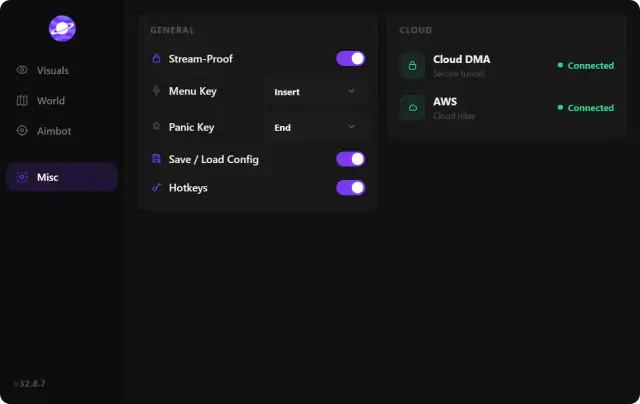
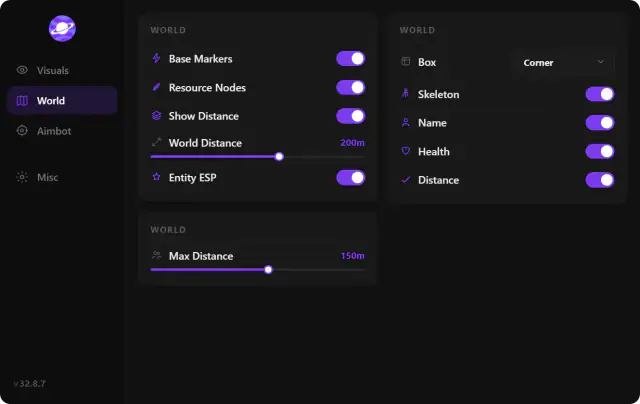
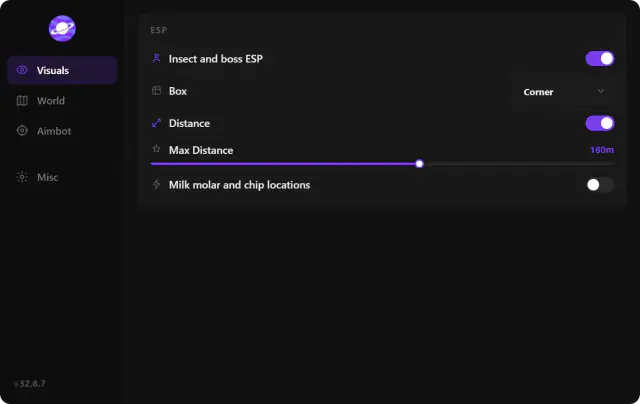
Use the screenshots above for HWID Spoofer—below is what each layer means and how access works after checkout.
In-game layers
- Layer A
HWID Spoofer
Hardware ID tools after a PC flag.
Guides
Grounded buy guides for HWID Spoofer
Curated Grounded articles for setup, tuning, and patch-day checks that match this product.
Buy the grounded hacks HWID spoofer only if new accounts fail on one PC but work on another. It does not fix an account-only ban For Steam on Windows.
A grounded hacks launch error is often a bad file or an old build. Read this before you buy a spoofer or Cloud DMA for the wrong reason For PC players.
After a Grounded update, wait. Check the grounded hacks status banner on groundedhacks.com before you launch. An old file may not work yet For PC players.
Grounded hacks can lead to an account ban or a PC hardware flag. This page explains the difference and which product not to buy by mistake For PC players.
Grounded hacks are extra tools for the tiny backyard game on Steam. This page explains ESP, aim help, and what groundedhacks.com lists For PC players.
See what grounded hacks include: bug ESP, item ESP, base marks, aim help, and a stream-proof menu for Windows on groundedhacks.com Read before you pay.
FAQ
Questions about this page
Answers tied to what you are reading—visit the FAQ page for every topic.